Radon monitors · US buying guides
Choose a radon monitor.
Check readings your way.
Read the screen at home, check your levels while away, or look back at hourly readings. Start with how you’ll use it, then compare three practical options.
Exact models. Clear setup advice. Original sources.
01Choose your accessScreen, nearby phone or Wi-Fi
02Plan your setupPower, placement and saved readings
03Check the evidenceExact-model manuals & US guidance
Your three-monitor shortlist
Pick the way you’ll use it.
Start with the readings you want to see. Then check the power and connection for your chosen room.
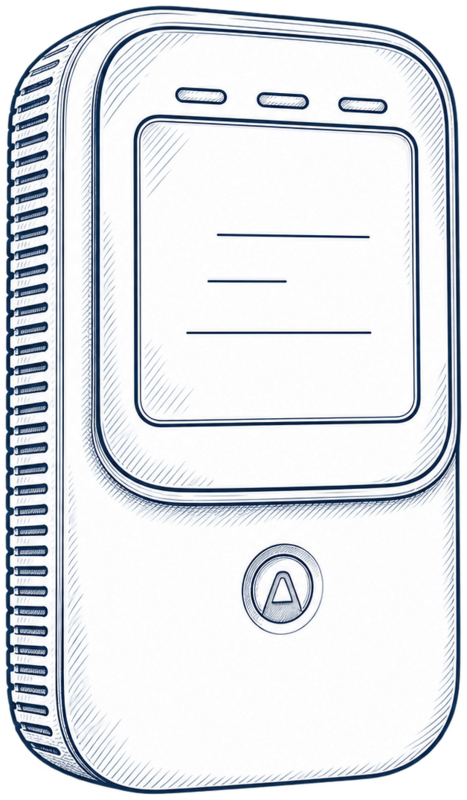
01Read radon at a glance
Airthings · Model 325
Corentium Home 2
See your room's radon averages on the screen. Add app history when you want to look back.
- Read radon averages on the display
- Use two AA batteries at your chosen test spot
- Check temperature and humidity too
A good fit for you if you want everyday screen checks and a battery-powered setup.
Your setup: For readings while away, add a compatible Airthings hub.
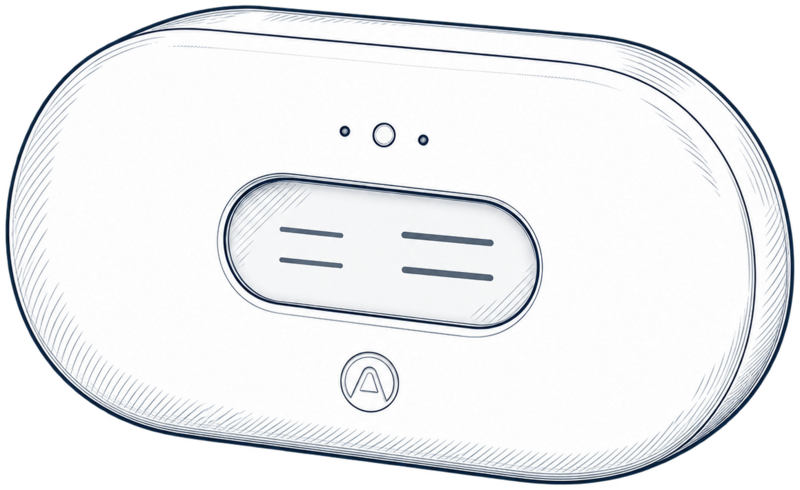
02Check your readings while away
Airthings · Model 2960
View Plus
Follow radon and other air measurements in one app, using your home Wi-Fi.
- Follow radon, particles, CO2 and room conditions
- Open uploaded readings while away
- Choose AA batteries or USB-C power
A good fit for you if you want connected access and will use several air measurements.
Your setup: Use supported 2.4 GHz Wi-Fi; hub mode also needs USB-C power.
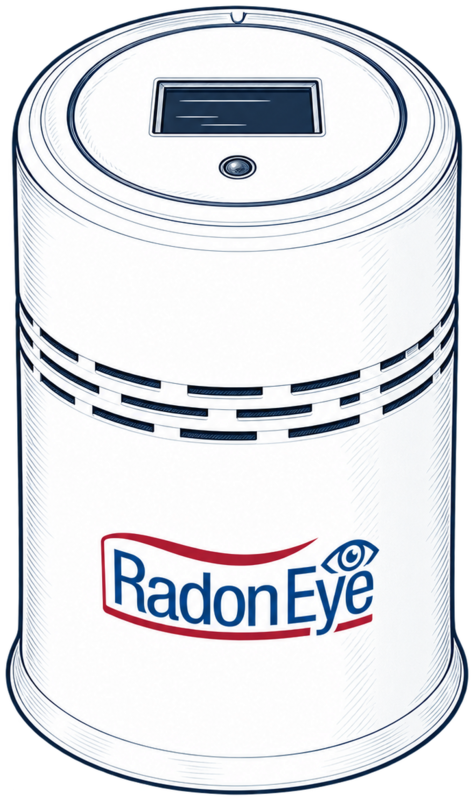
03Check radon where you place it
Ecosense · Model RD200
RadonEye RD200
Read the local display and open the hourly record from your nearby phone.
- Read radon on the OLED display
- Connect nearby with Bluetooth
- View and export the hourly record in the app
A good fit for you if you have a suitable powered test spot and prefer nearby access.
Your setup: Use the app to export history and start a new measurement.
I may earn a commission when you buy through these Amazon links.
Want to compare the finer details? See power, sensors and history side by side.
The practical differences
Check the details that matter.
See how each monitor gets readings to you, where it draws power and how you can save history.
Compare the manufacturer-documented features.| Your decision | Home 2Airthings · Model 325 | View PlusAirthings · Model 2960 | RadonEye RD200Ecosense · Model RD200 |
|---|
| Measurements | Radon, temperature, humidity | Radon, PM2.5, CO2, VOCs, temperature, humidity, pressure | Radon |
|---|
| Power | Two AA batteries | Six AA batteries or USB-C | Plug-in power adapter |
|---|
| Connection | Bluetooth; remote access through a compatible hub | Direct 2.4 GHz Wi-Fi | Bluetooth for nearby access |
|---|
| History and access | Local averages; synced app history and dashboard CSV | Airthings app and dashboard; internet connection needed | Hourly record and text export through the app; record dates when starting a measurement |
|---|
| Look closer | Home 2 review | View Plus review | RadonEye RD200 review |
|---|
Plan your first measurement
Get ready to test your home.
Make an informed choice
Know what you’re buying.
Follow the links to the exact-model manuals and specifications behind each recommendation. You can check the features that matter before ordering.
Read our research method01Match the modelFind the exact model and generation in the offer.
02Follow the sourceCheck the display, history and connection you plan to use.
03Plan the testFor a property transaction, check the accepted testing procedure.
Browse all buying guides and explainers
Common buying questions
Clear up the essentials.
Choose the measurement method first, then the features you need.
Do I need to buy a continuous monitor for a first test?
A suitable test kit can be a sensible first purchase. Check its procedure and lab arrangements; local radon programs may offer testing options. Compare kits and monitors.
Will a radon detector work in my basement?
Check the intended test location, operating conditions and power arrangement. A regularly occupied basement and an unused storage area can call for different placement decisions. Read the basement setup guide.
Which air-quality monitor measures radon?
Choose a model with a documented radon sensor. Home 2, View Plus and RD200 all include radon measurement. Understand the sensor differences.
How are the recommendations researched?
The reviews compare exact-model manuals, published specifications and US public guidance. Read our methodology.
Ready for a clearer decision?
Choose your monitor.
Plan your first measurement.
Compare the three monitors by the way you’ll use them. For a first test, explore the kit-versus-monitor guide.
 Clarity for your home.