 Clarity for your home.
Is Home 2 right for you?
Choose Home 2 if you want to read radon averages on the screen and place the monitor using battery power. Use the app when you want to revisit saved history. For readings while away, plan a compatible hub connection.
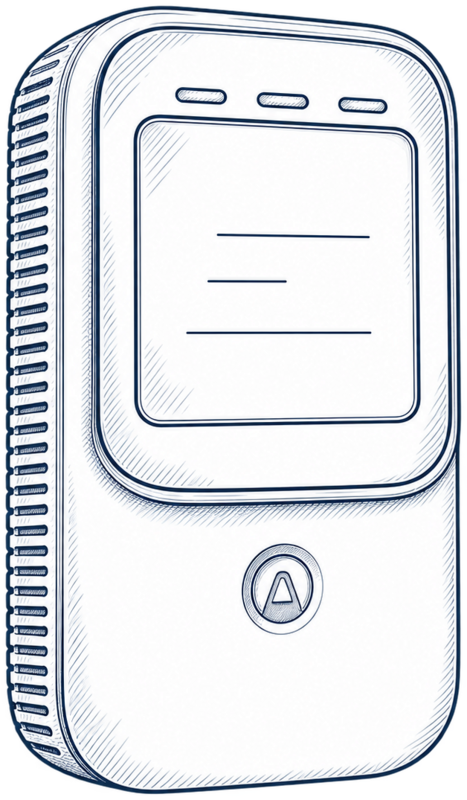
You can check the room’s radon averages as you pass the device. Two AA batteries give you flexibility at a suitable test position, and temperature and humidity add context about the room. This review covers model 325.
Read your averages at a glance
Home 2 has a built-in display for radon, temperature and humidity. Check the averaging label alongside the number so you know which period you’re reading. Product specifications.
Use the placement guide to choose your measurement spot and the duration guide to plan the test period.
Keep the history you’ll want later
For everyday screen checks, you can use Home 2 offline. To reopen earlier periods, use connected history: Airthings documents historical graphs and dashboard CSV export.
Before starting a new measurement or removing batteries, record the offline values you want to keep or fully synchronize the device. Uploaded data is retained in the cloud; previous offline data becomes inaccessible after those changes. Offline and connected modes.
That gives you a practical choice: keep a dated manual record, or use synchronized history when you want to look back across measurements.
Check readings while you’re away
Add a compatible Airthings Hub or a plugged-in View device for SmartLink access. Include that hardware in your purchase plan. SmartLink setup instructions.
If you already have a compatible hub, Home 2 can add a measurement location. If you’re buying the whole arrangement, compare Home 2 with View Plus by the sensors and connection you’ll use.
Your buying and setup checklist
- Choose a suitable room and position for your test.
- Decide whether you’ll use screen averages, saved app history or off-site access.
- Include any compatible hub equipment in the complete setup.
- Confirm model 325, the US version and the seller’s current offer.
If battery-powered screen checks fit your day, use the offer below to confirm the exact model and what’s included.
I may earn a commission when you buy through these Amazon links.
Documentation used
- Airthings — Corentium Home 2 specificationsManufacturer specifications · checked 2026-10-12
- Airthings — Corentium Home 2 user manual v1 (June 2025)Manufacturer instructions · checked 2026-10-12
- Airthings — Corentium Home 2 product sheet, version C (June 2025)Manufacturer specifications; model and SKU identification · checked 2026-10-12
- Airthings — Home 2 offline or connectedManufacturer instructions · checked 2026-10-12
- Airthings — Home 2 SmartLink connectionManufacturer instructions · checked 2026-10-12